How to remove alpha from textures
Import the image to Krita and right click -> Alpha into Mask.
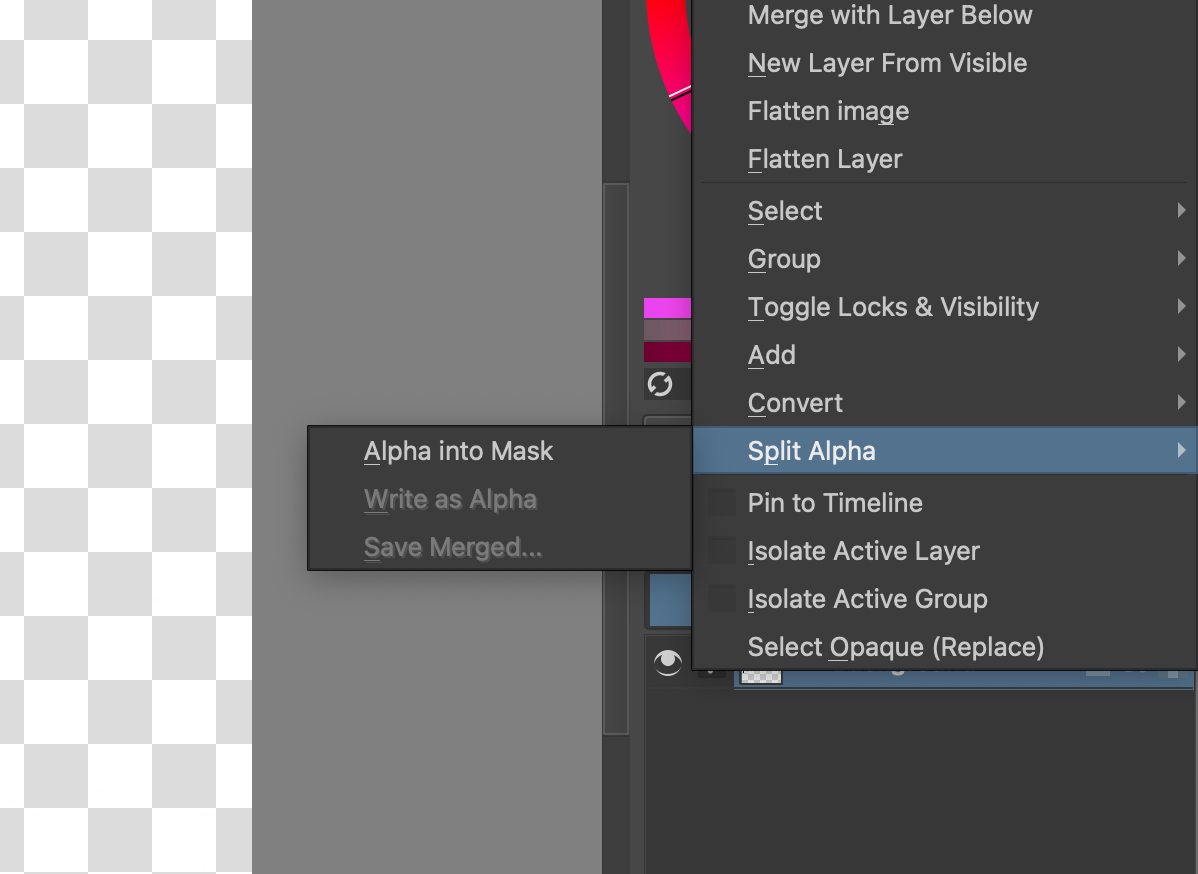
Then delete the “Transparency” mask.
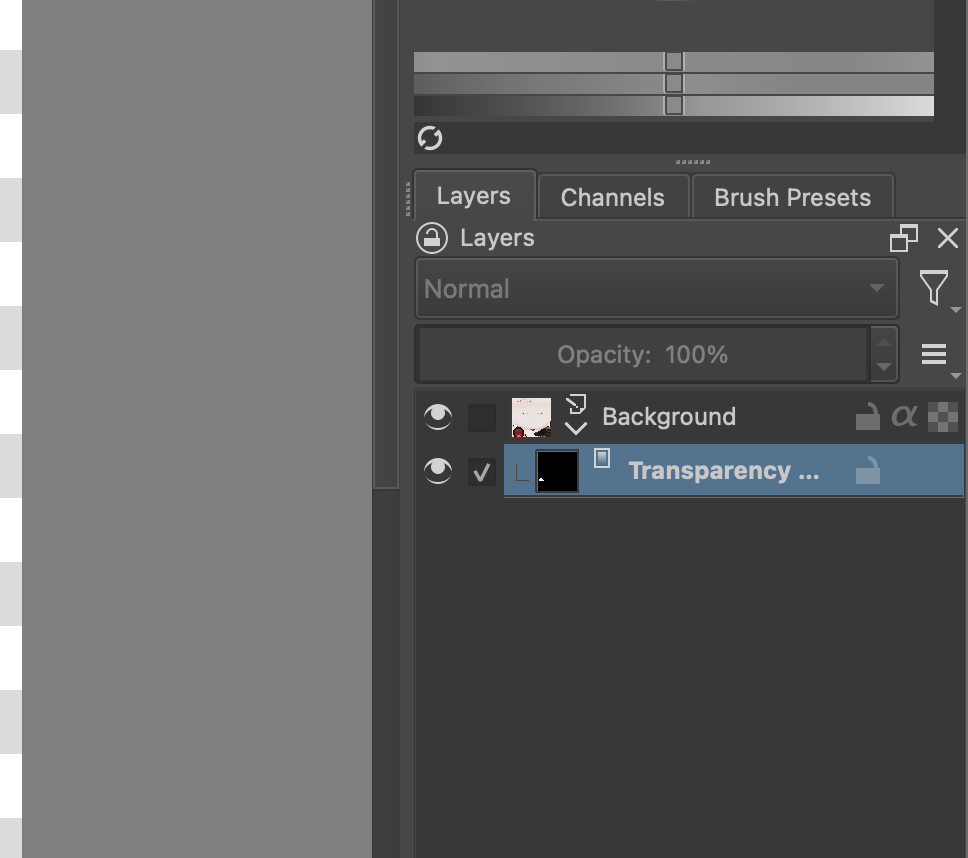

Import the image to Krita and right click -> Alpha into Mask.
Then delete the “Transparency” mask.