
How to use RegEx in PmxEditor
If you are using PmxEditor 0273, you can use something called RegEx. You can put RegEx pattern into the box and Shift-click to select the bones that match the condition. (This works for other tabs as well)
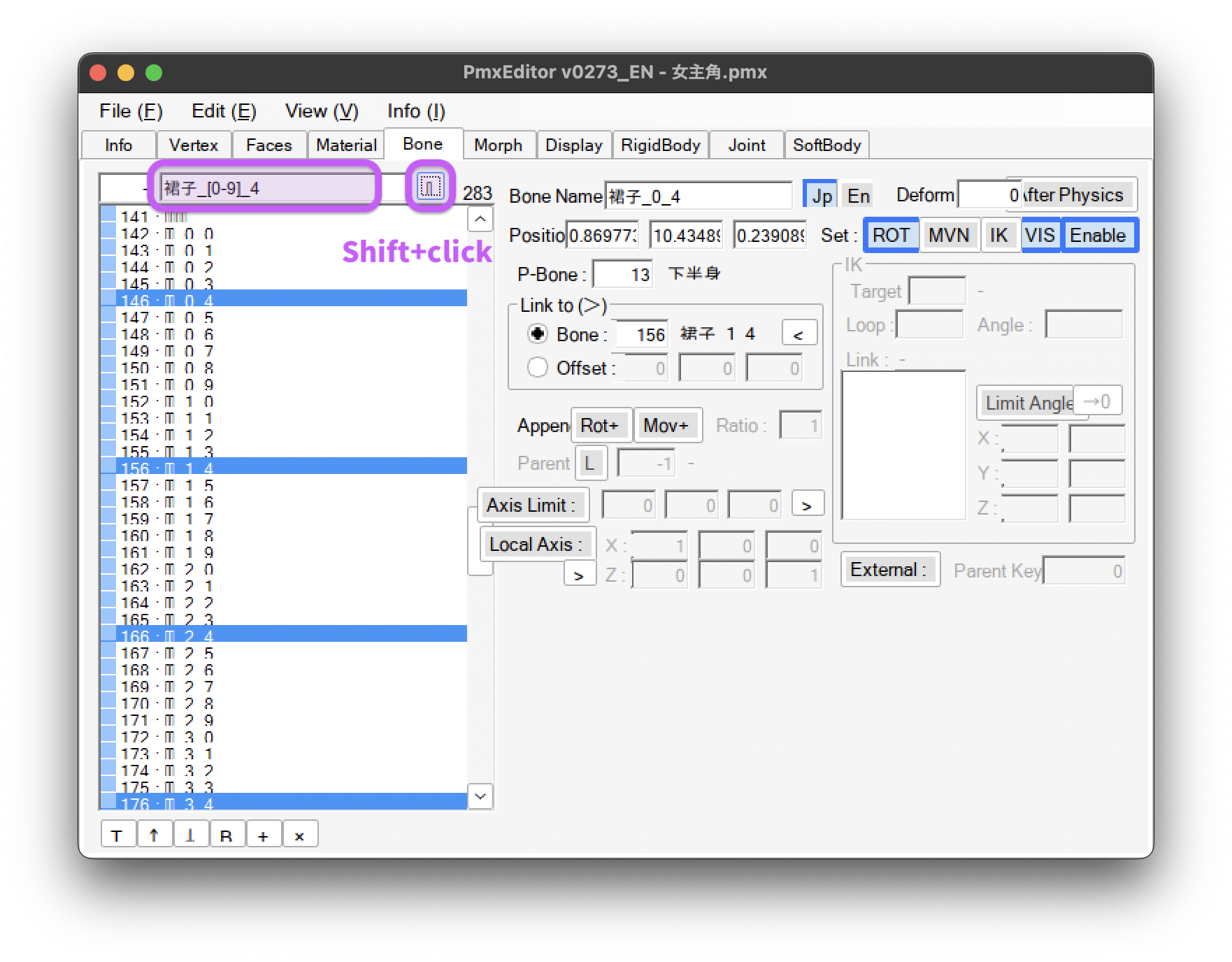
In this example, 裙子_[0-9]_4 means the bones with prefix 裙子_, suffix _4 and number 0-9 in between. After selecting the bones, you can delete them easily.
The change log of 0273: https://kkhk22.seesaa.net/article/490064244.html