
How to scale models by bone in PmxEditor
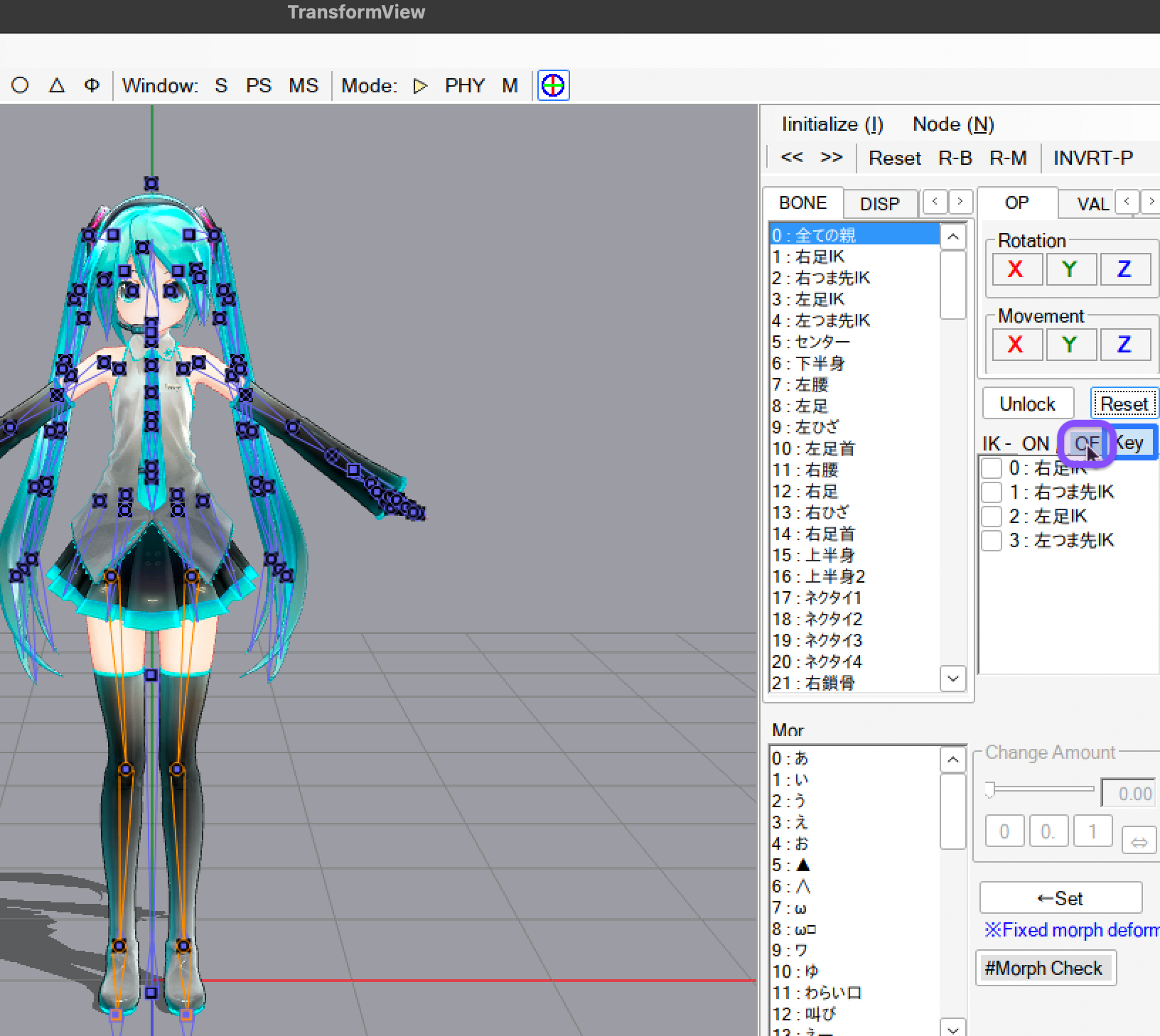
- Open TransformView then disable all IK.
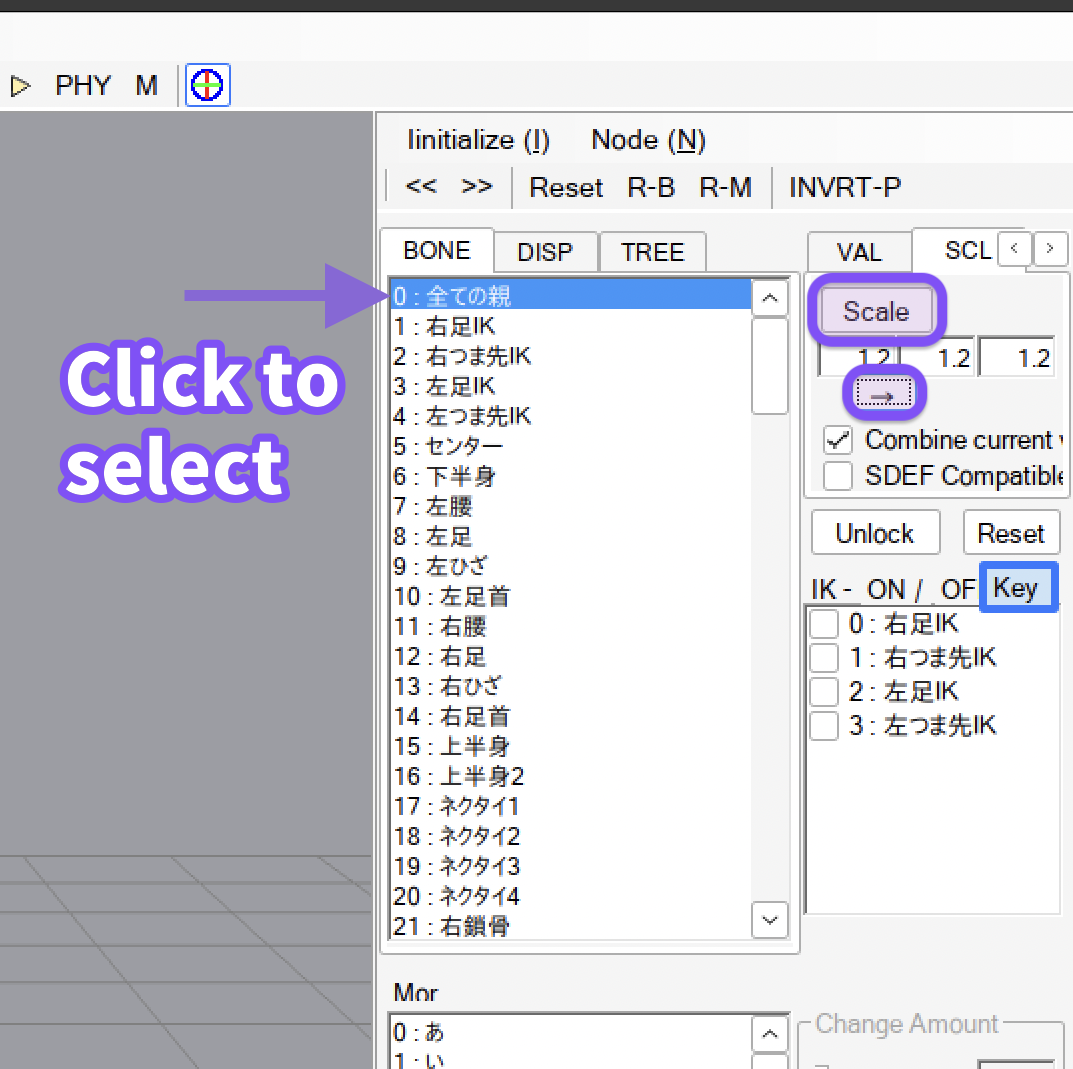
- Select the bone you want to scale.
- Enter the number in the box and click the arrow button to apply to all axes.
- Click
Scaleto scale. Do this for other bones as well. - Click
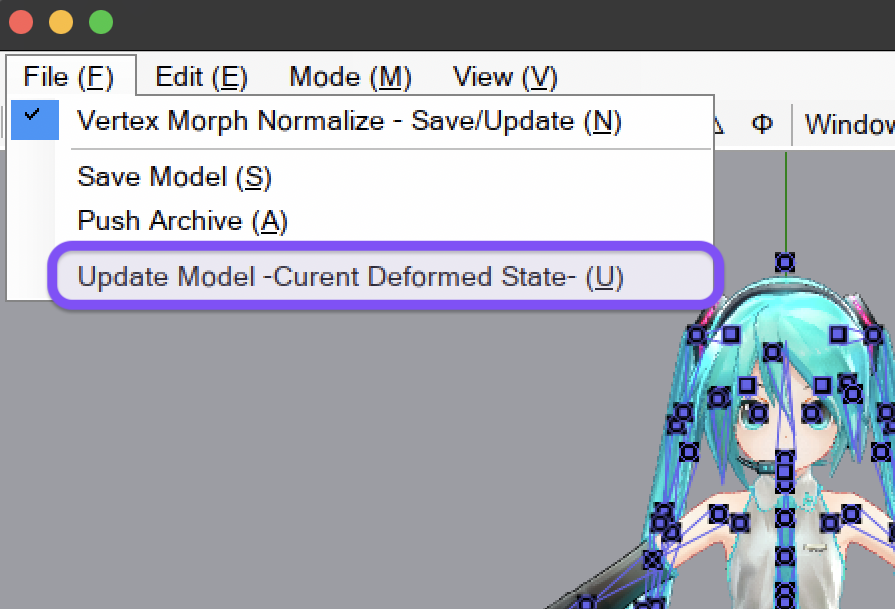
Update Model -Curent Deformed State-to apply the edit.
credit: Appearance Miku by ままま、アラン・スミシー