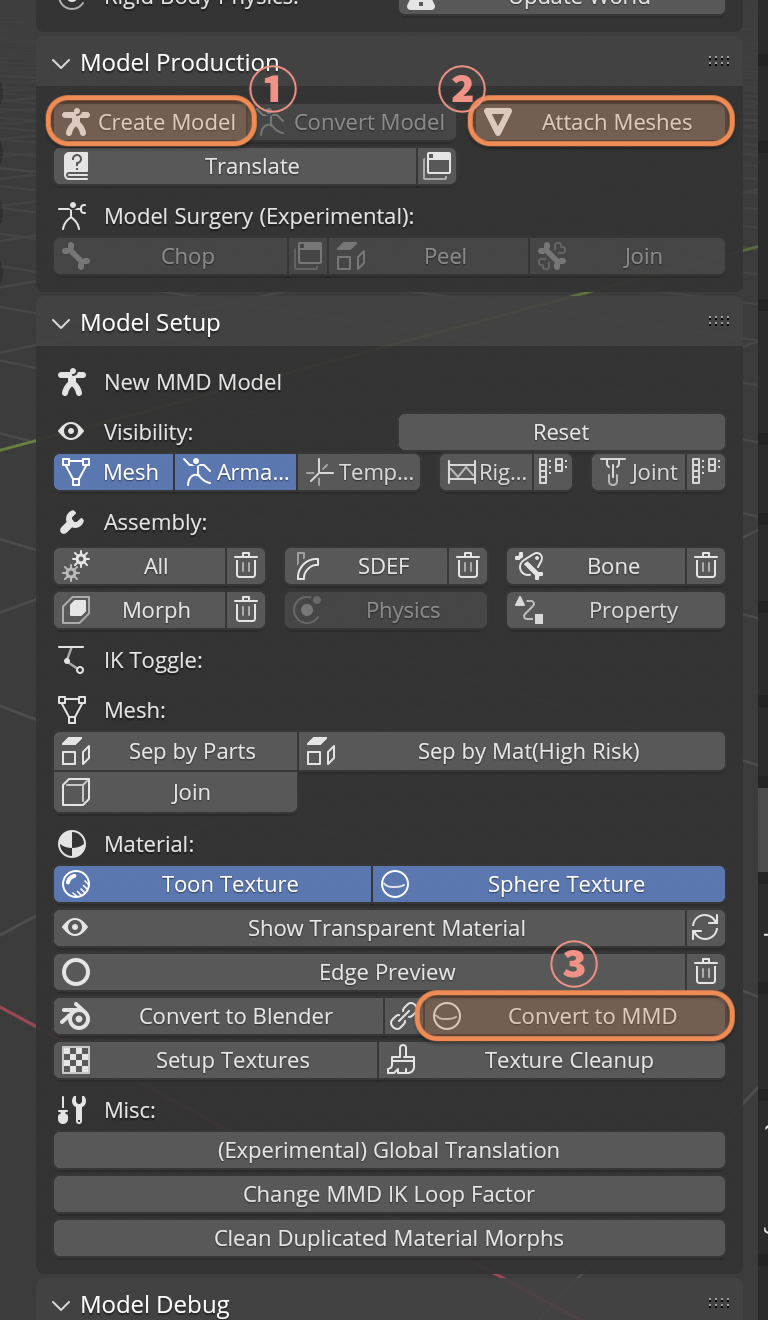
How to quickly export to PMX
This only works for non-humanoid models (stages & accessories). I recommend checking out How to convert FBX into PMX.
If your model comes with Armature (human icon):
Press Convert Model under Model Production, select root object (axis icon) then export.
If your model does not come with Armature (only triangle icons):
Press Create Model and Attach Meshes under Model Production, select the mesh then click Convert to MMD under Model Setup > Material, select root object (axis icon) then export.