
How to force the model to stay in the same position
This doesn’t work for motions that uses 全ての親. Use MotionSupporter first to remove 全ての親 keys.
- import the motion to the model that has Master (全ての親)
- range select Center (センター) then copy
- select Master then
edit > paste to different frame(Model moves twice as fast) edit > multiply of bone frame position-anglethen
bone place X * -1.0, Y * 0.0, Z * -1.0, angle X * 0.0, Y * 0.0, Z * 0.0
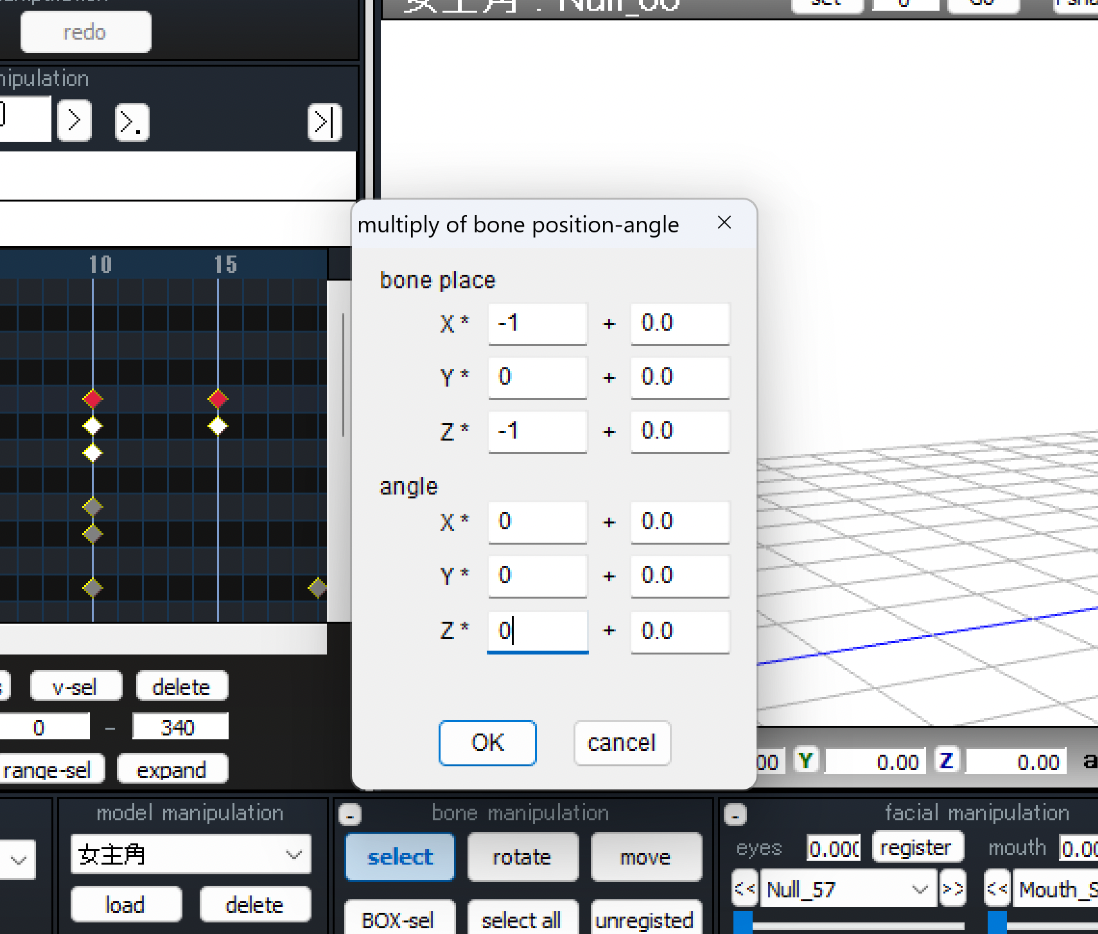
Now Master will cancel the Center position.
before/after:
You can export the motion then use MotionSupporter to offset Master position.
credit: Lumine (Genshin Impact)