• Skip to primary navigation
  • Skip to content
  • Skip to footer
My Tutorials
  • Categories
  • Tags
  • About
    Ulyssa

    Ulyssa

    Hi! I make extensions for Blender & Inkscape, and MMD & Blender tutorials.

    • Tokyo, Japan
    • --:--
    • Feeling Lucky?
    • Homepage
    • YouTube
    • GitHub
    • GitLab

    Using edge scale to selectively remove edges

    less than 1 minute read

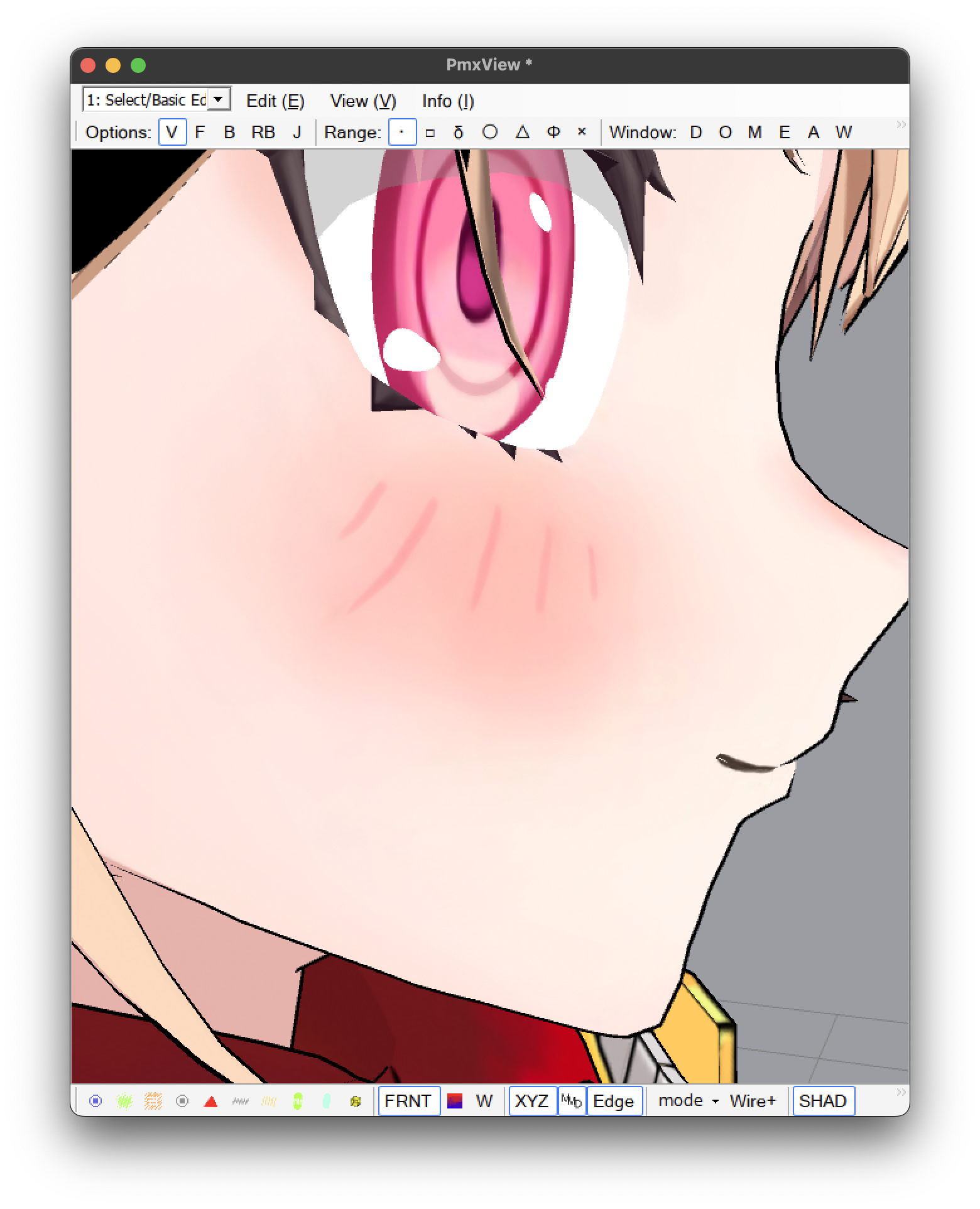
    Some models look weird because edges become visible when it shouldn’t.
    thumbnail

    You can remove edges from specific vertices with Edge Scale. Select the vertices you want to remove edges from, then go to Edit > Vertex > Edge Scale > 0.
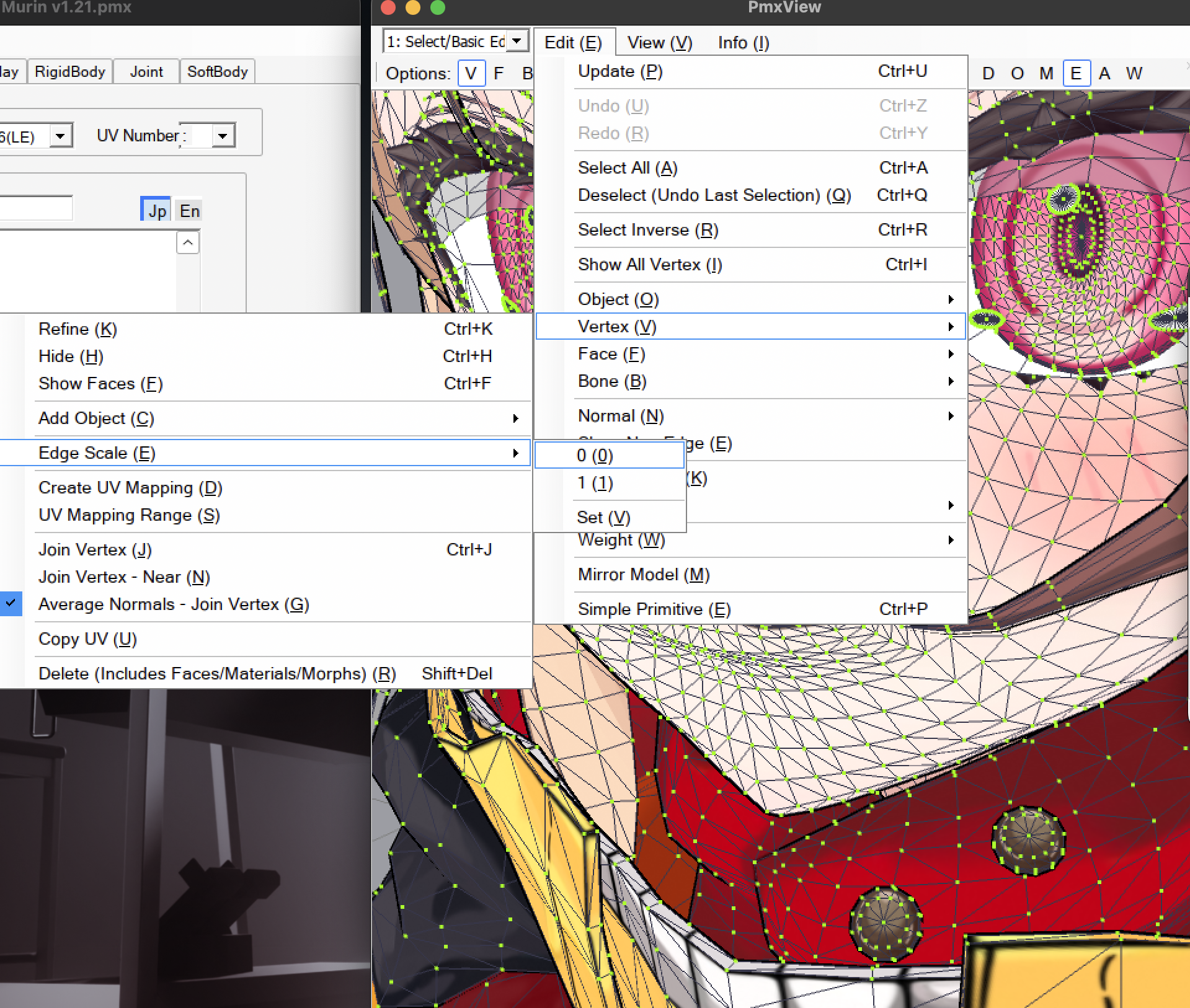
    thumbnail

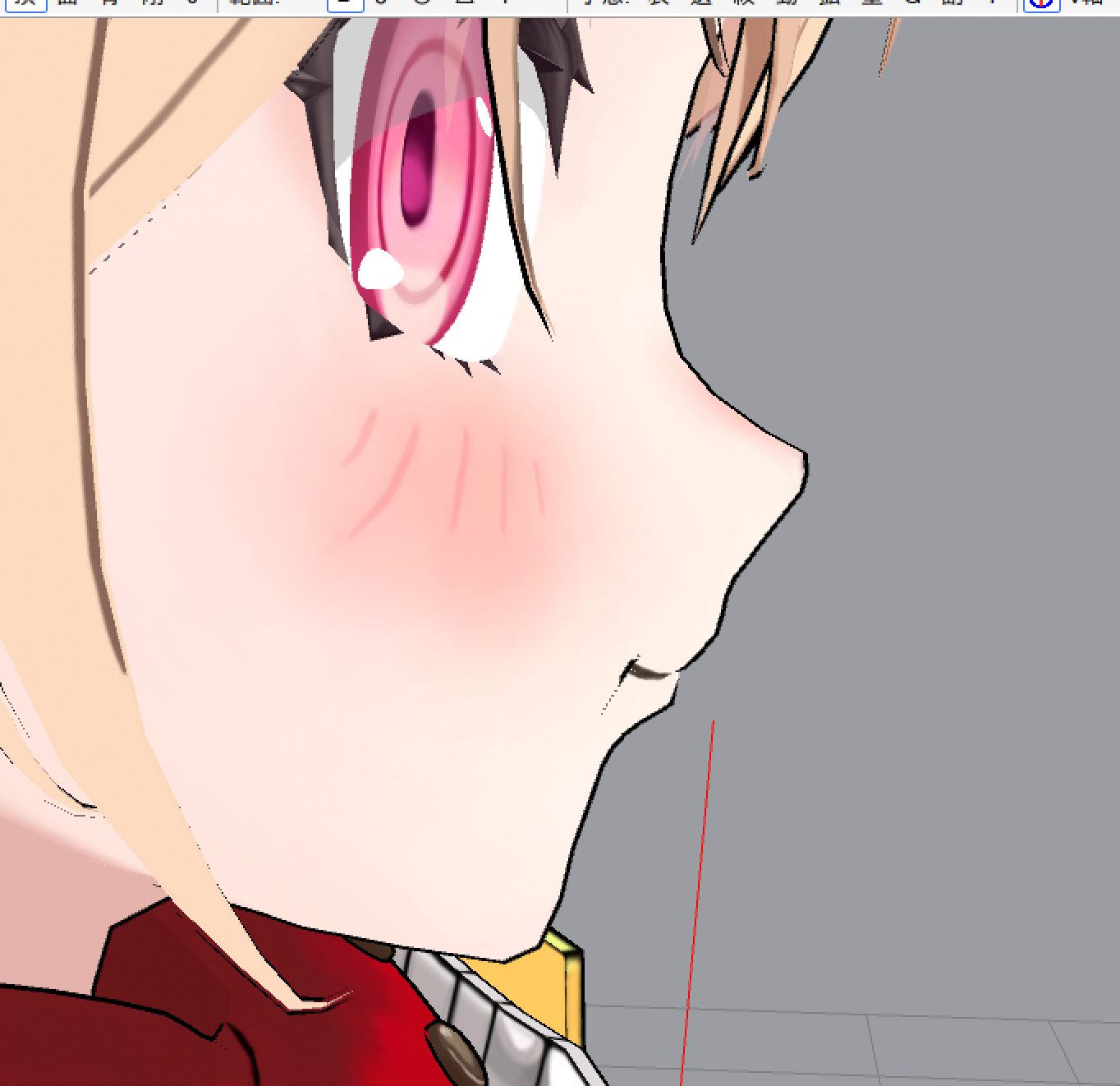
    Now the model should look better!

    thumbnail

    credit: Gigi Murin (hololive)

    Tags: edges, pmxe

    Categories: Tutorial-MMD

    Updated: June 16, 2026

    Share on

    X Facebook LinkedIn Bluesky
    Previous Next

    You May Also Enjoy

    How to scale models by bone in PmxEditor

    less than 1 minute read

    Open TransformView then disable all IK. Select the bone you want to scale. Enter the number in the box and click the arrow button to apply to all axes...

    How to scale models by bone in Blender

    less than 1 minute read

    1. Go to Pose Mode and scale the bones.

    How to use RegEx in PmxEditor

    less than 1 minute read

    If you are using PmxEditor 0273, you can use something called RegEx. You can put RegEx pattern into the box and Shift-click to select the bones that match th...

    How to fix MMD crashing while loading motions

    less than 1 minute read

    If loading motions fail in MMD, instead of drag & drop, use file > load motion data.

    • Homepage
    • GitHub
    • Source
    © 2026 My Tutorials. Powered by Jekyll & Minimal Mistakes.