
How to automatically rename bones
This was written before useful features like Humanoid Renamer were introduced. I recommend checking out How to convert FBX into PMX.
There’s a feature in MMD Tools called Global Translation Popup. You can use it to import/export various names in your MMD model.
If the model doesn’t have Japanese names for bones, you cannot use it with MMD motions, because motion files references them by name. You can automate the renaming by using CSV import/export.
Open Global Translation Popup and select Bones, then Export CSV. Open the CSV file in notepad, select everything and copy.
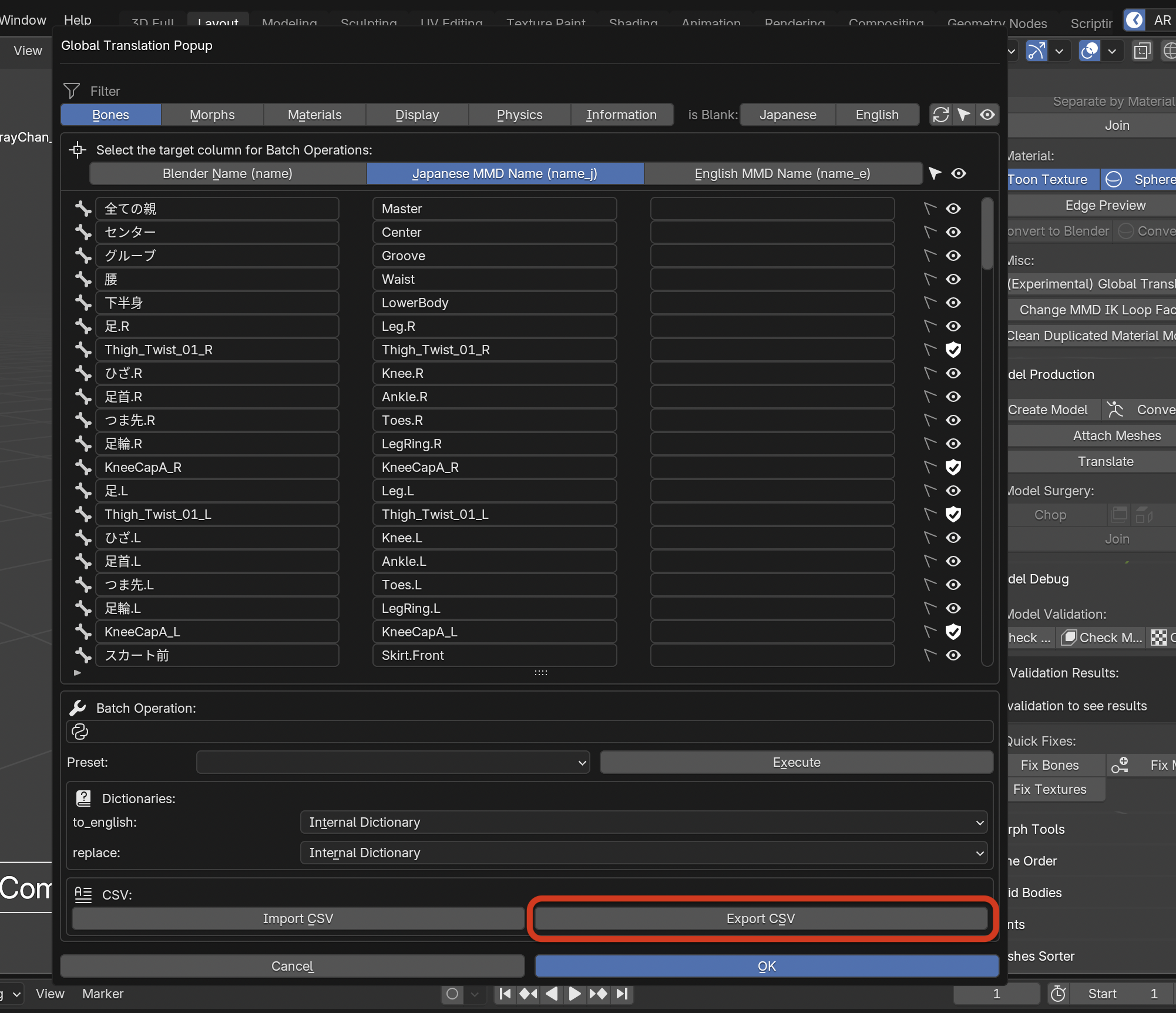
Then, paste to any AI you use, and add this:
translate and replace the japanese column in this CSV into MMD compatible Japanese name, and return complete translated CSV.

The example of MMD compatible name is:
- 上半身2
- 左足
- 右ひざ
- 右足首
- 左つま先
- 右足IK
- 右親指0
- 右人指1
- 右中指1
- 右薬指1
- 右小指1

Make sure to use full-width numbers for fingers, but other numbers must be in half-width. and use 左/右 as prefix indicating Left/Right.
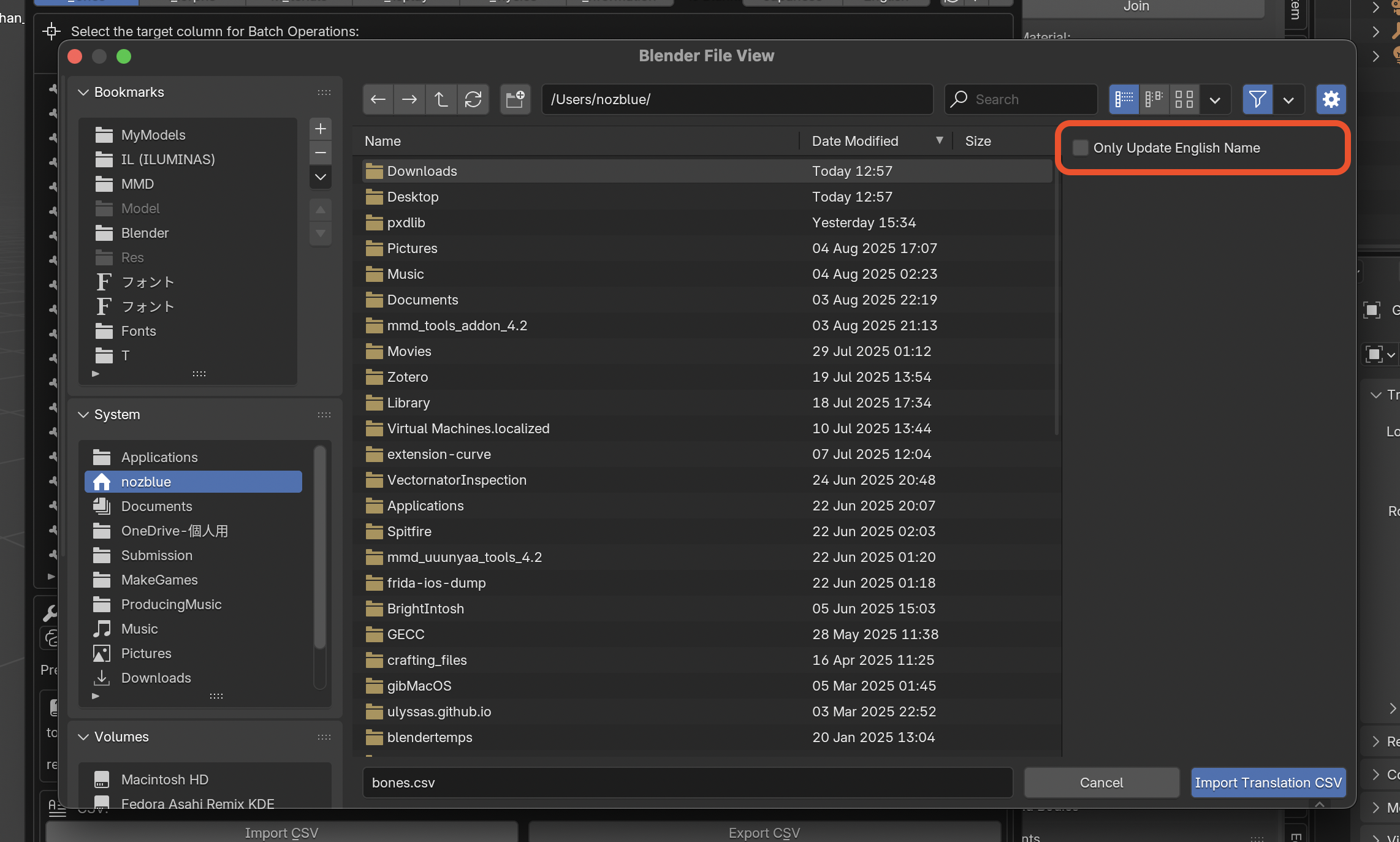
After that, you should have translated CSV so paste the result to CSV file, import CSV with Only Update English Name unchecked.
The remaining tasks are:
- Modify bone structure
- Add leg IK
You’ll likely have to merge/organize/restructure the bones in PmxEditor. For example, I added センター (center), merged 腰 into 下半身 and changed parents/children relationships. Auto translation named root bone as center, but I renamed to 全ての親 because it’s more appropriate.
For leg IK, you can use ManasLazyTools.