• Skip to primary navigation
  • Skip to content
  • Skip to footer
My Tutorials
  • Categories
  • Tags
  • About
    Ulyssa

    Ulyssa

    Hi! I make extensions for Blender & Inkscape, and MMD & Blender tutorials.

    • Tokyo, Japan
    • --:--
    • Feeling Lucky?
    • Homepage
    • YouTube
    • GitHub
    • GitLab

    How to separate parts in Blender

    less than 1 minute read

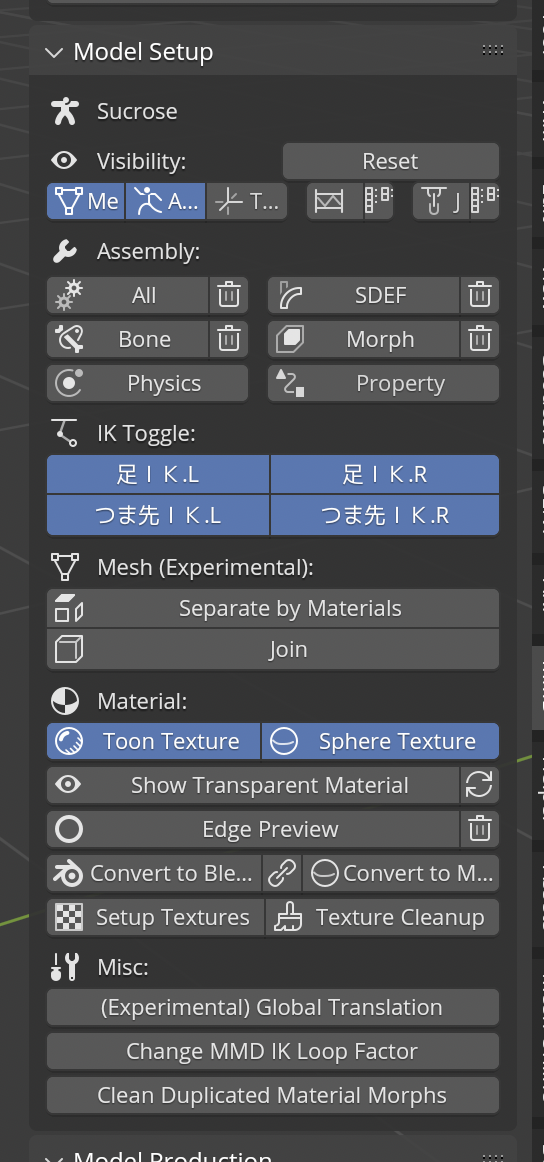
    1. Click Separate by Materials. This will separate the model.
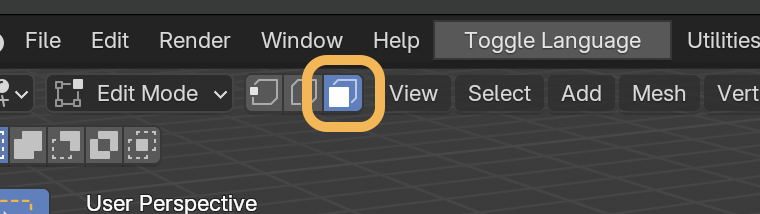
    2. Press tab to go to edit mode. Click third icon to enable face select mode.
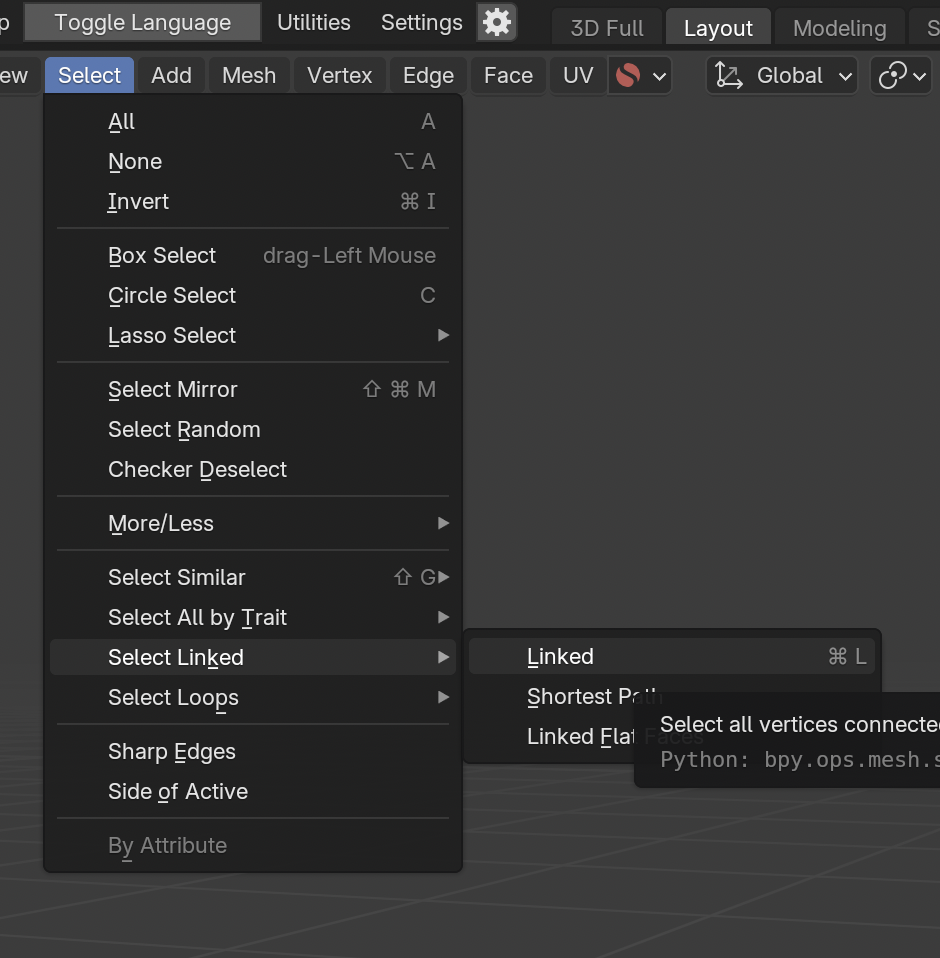
    3. After clicking face, you can extend selection to adjacent face from Select Linked > Linked.
    4. Now if you press P, you can separate by selection.
    thumbnail thumbnail thumbnail

    Tags: mmd_tools, modeling

    Categories: Tutorial-Blender

    Updated: June 19, 2026

    Share on

    X Facebook LinkedIn Bluesky
    Previous Next

    You May Also Enjoy

    What does the leg slider do in Append Rigify?

    less than 1 minute read

    It toggles thigh_ik constraints, which copies rotation from thigh_fk.

    How to fix dithered transparency

    less than 1 minute read

    You can change to Blended (or Alpha Blend on 4.1) from material settings.

    How to fix glitchy leg IK

    less than 1 minute read

    Make sure IK Limit is set correctly. Also, in Blender, IK won’t work correctly if the leg is completely straight.

    How to auto blink

    less than 1 minute read

    In MMD, you can use randomly register blinking if the model has “まばたき (blink)” morph. It will register keys to blink morph so you can copy & paste to oth...

    • Homepage
    • GitHub
    • Source
    © 2026 My Tutorials. Powered by Jekyll & Minimal Mistakes.