
How to separate parts in PmxEditor
- Make sure F (face) is turned on.
- Select a face, then press
+(plus) key. This will extend the selection to connected faces. - Then click
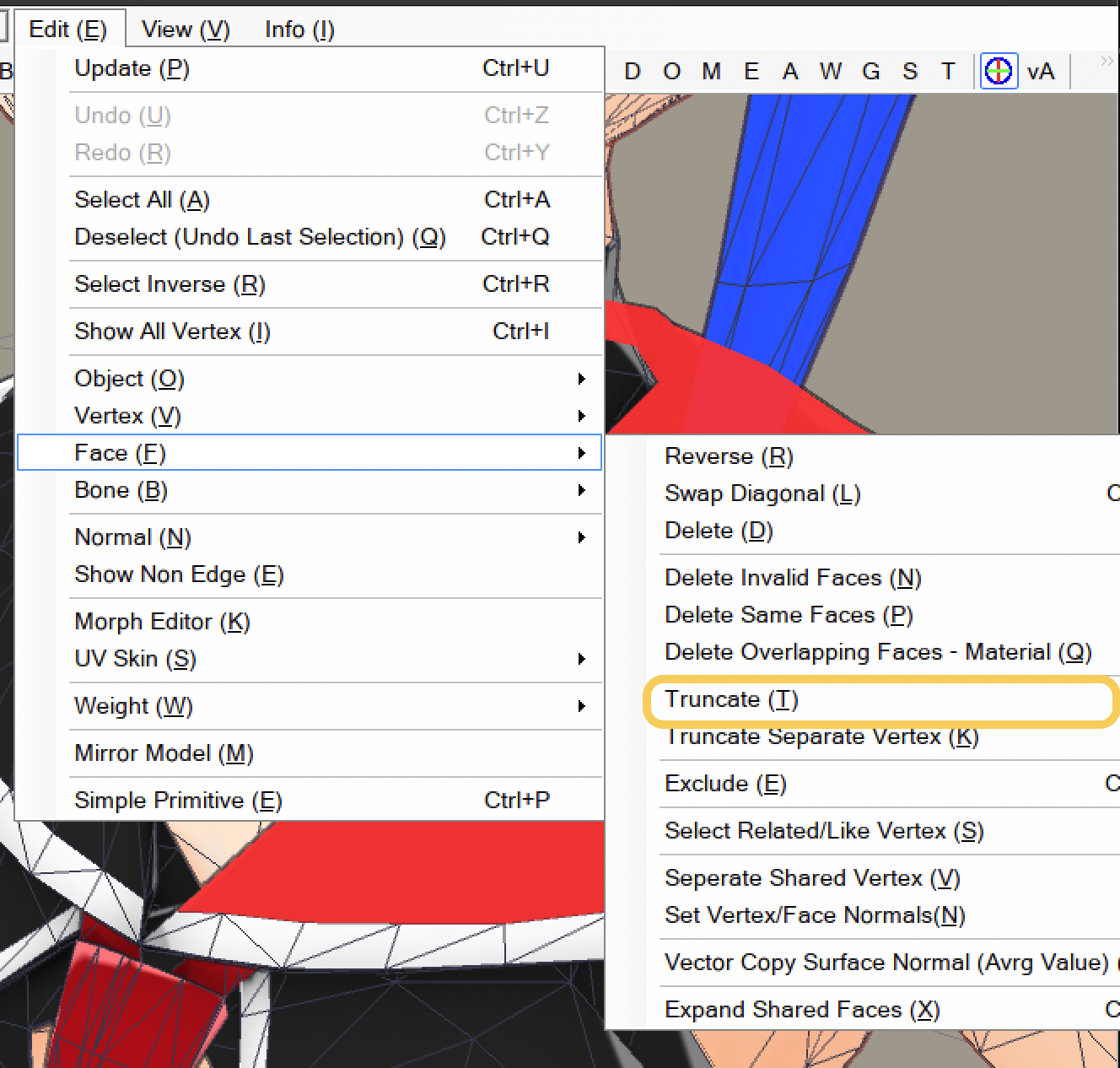
Face > Truncate. This will separate selection into new material.
credit: Grayちゃん by らりほま & me